
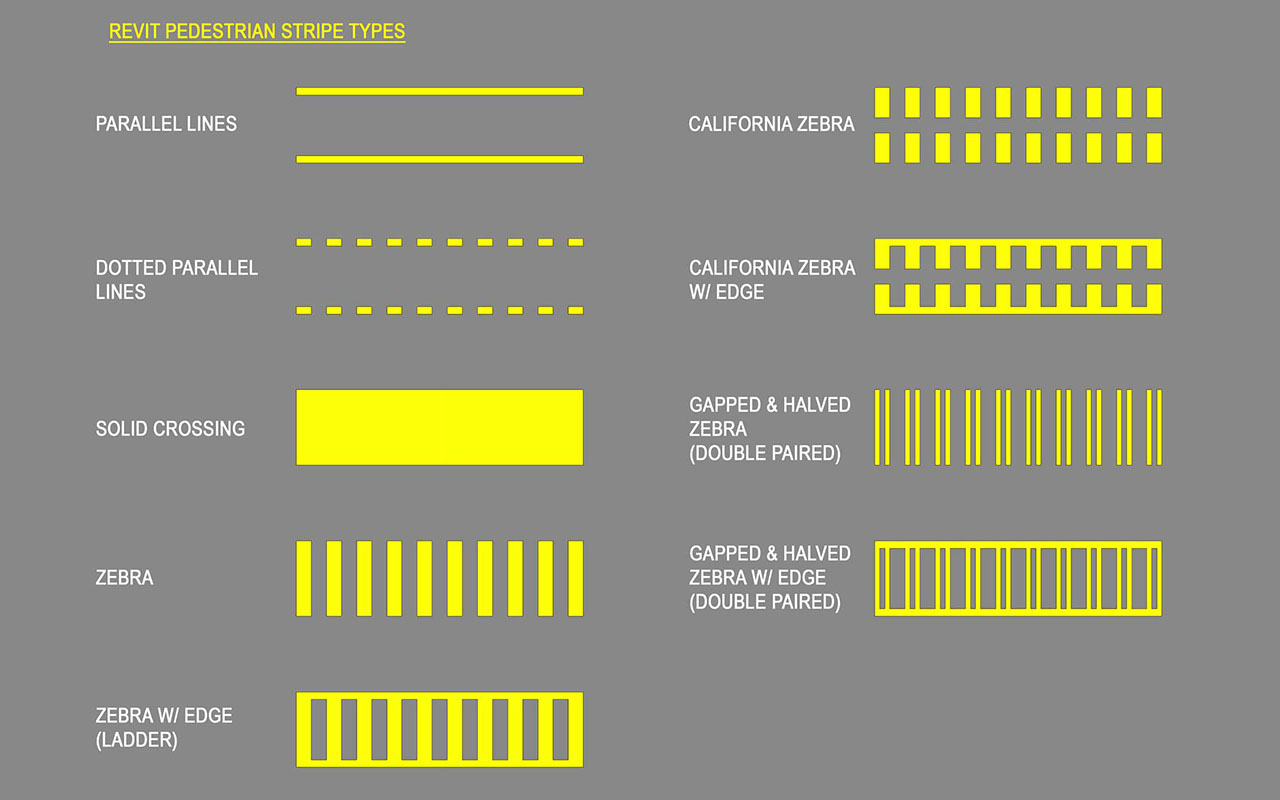
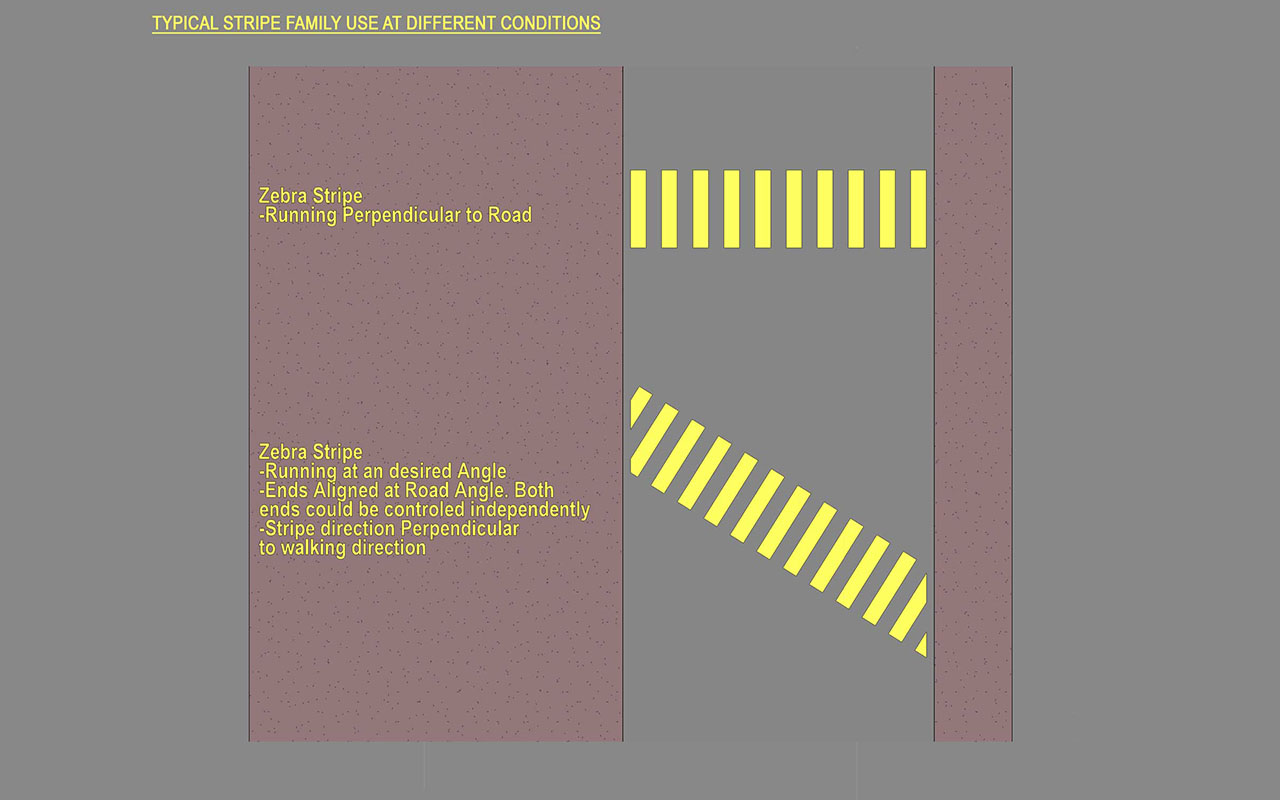
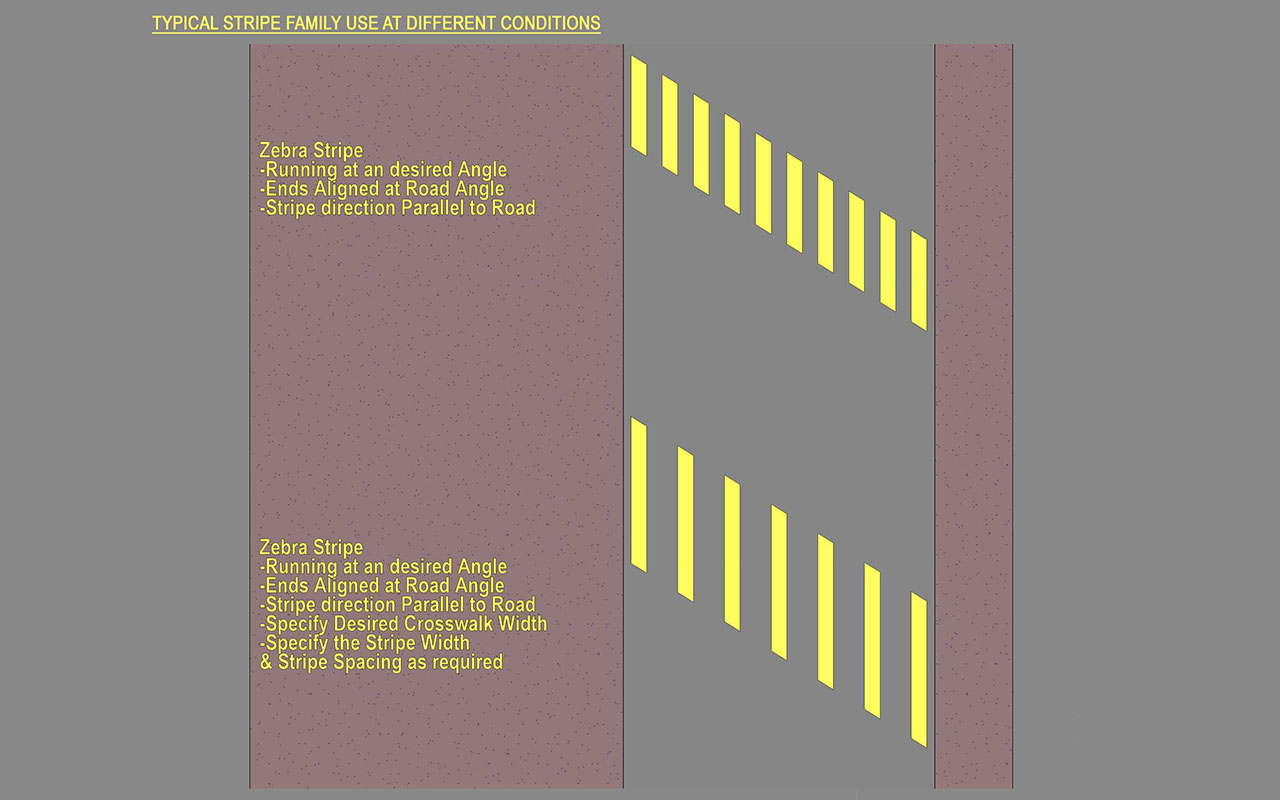
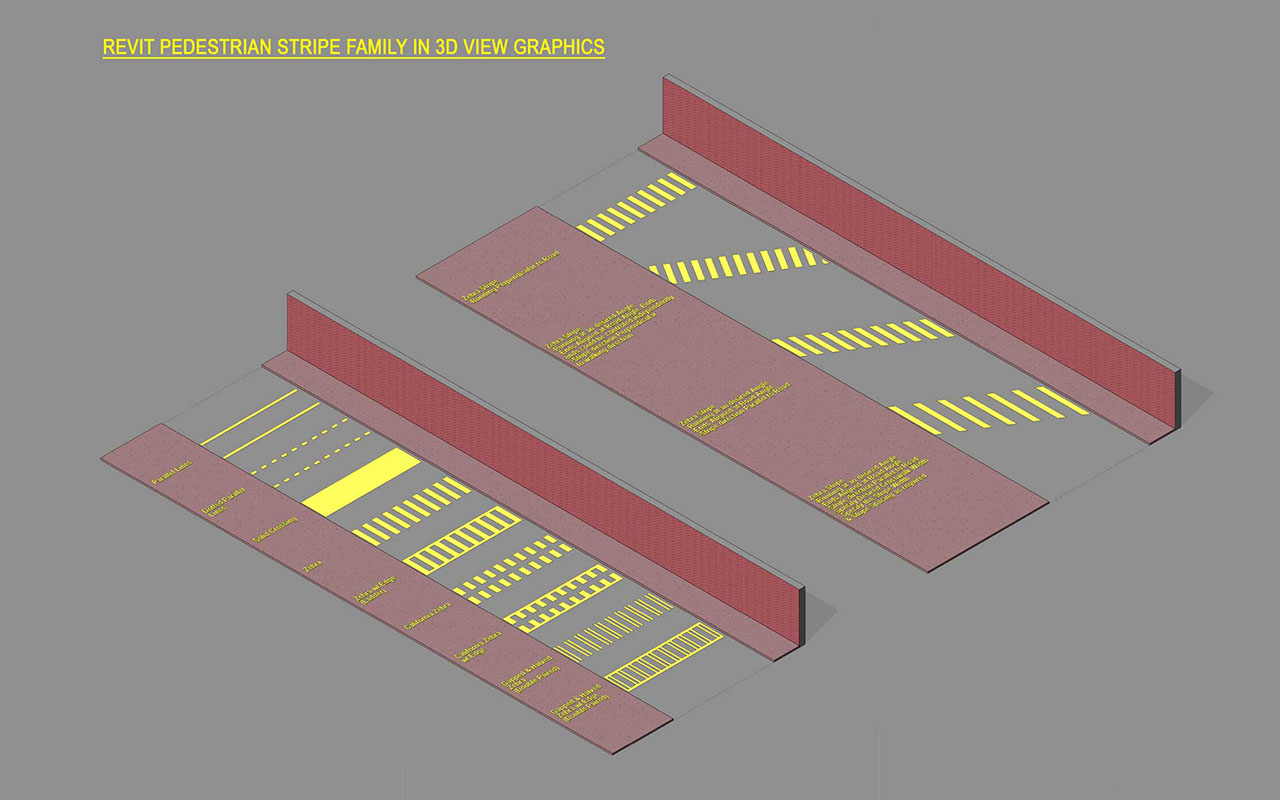
This parametric Pedestrian Crosswalk Stripe Revit Family can create all the different versions of 2D & 3D views that you will need for your next project, helping avoid common coordination errors.
Check the below video to see families in action:
Family Parameters:
- Revit line based family
- Left/Right Pedestrian alignment angle parameter controlled individually based on specific condition
- Left/Right sides offset parameter
- Stripe Width, Spacing, Thickness, Angle, Material and Different type Styles parameters
- Single Revit Family creates all different Pedestrian styles. Create new versions or swap between different nested family styles and parameters.
Files with Purchase:
- SITE – Pedestrian Stripe.rfa – Revit Family for use
- SITE – Pedestrian Stripe.rvt – Example Revit Project
Features:
- 100% Parametric: Ready-to-use fully parametric smart families built inside the Revit family environment.
- Full Customization: From annotation symbol to each displayed text is customizable per your office standards.
- Ease of Use: Easily create your own version in a flash with logically created Instance/Type parameters within the family. Use everywhere on your project without worry.
- Managed BIM: Swap 2D Annotations, 3D fixture models, or materials anytime to add your own version with the in-built Nested Families. Contact us if you need any help!
- Consistent around Views: Consistent graphics across the plan, elevation, sections, and 3D
- Consistent around Phases: Use the same family from preliminary through the construction documentation
- Integrate Everywhere: Easily integrates into office-wide Revit Standards, templates, custom-built families, and applications.
Reviews
There are no reviews yet.